How can I import individual teachers to have access to a Tynker school license?
Edited
Go to tynker.com and sign in as a teacher.
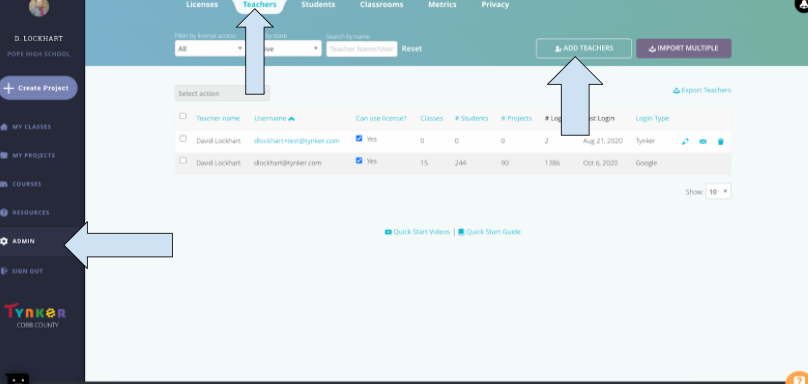
Click the admin page on the left side
Click the teachers tab at the top.
Click add teachers, and paste the teachers information in the fields
If you are using Google accounts, click School Google Account and paste their emails in the space.
If you are using Tynker accounts (usernames and passwords created at the site), click the school emails tab and fill in the relevant information.
If you are using Microsoft accounts, click the school emails tab, and fill in the relevant information. You can leave the password field blank.