How can I activate/deactivate a student account as a Tynker school administrator?
Edited
Go to tynker.com and sign in as a teacher.
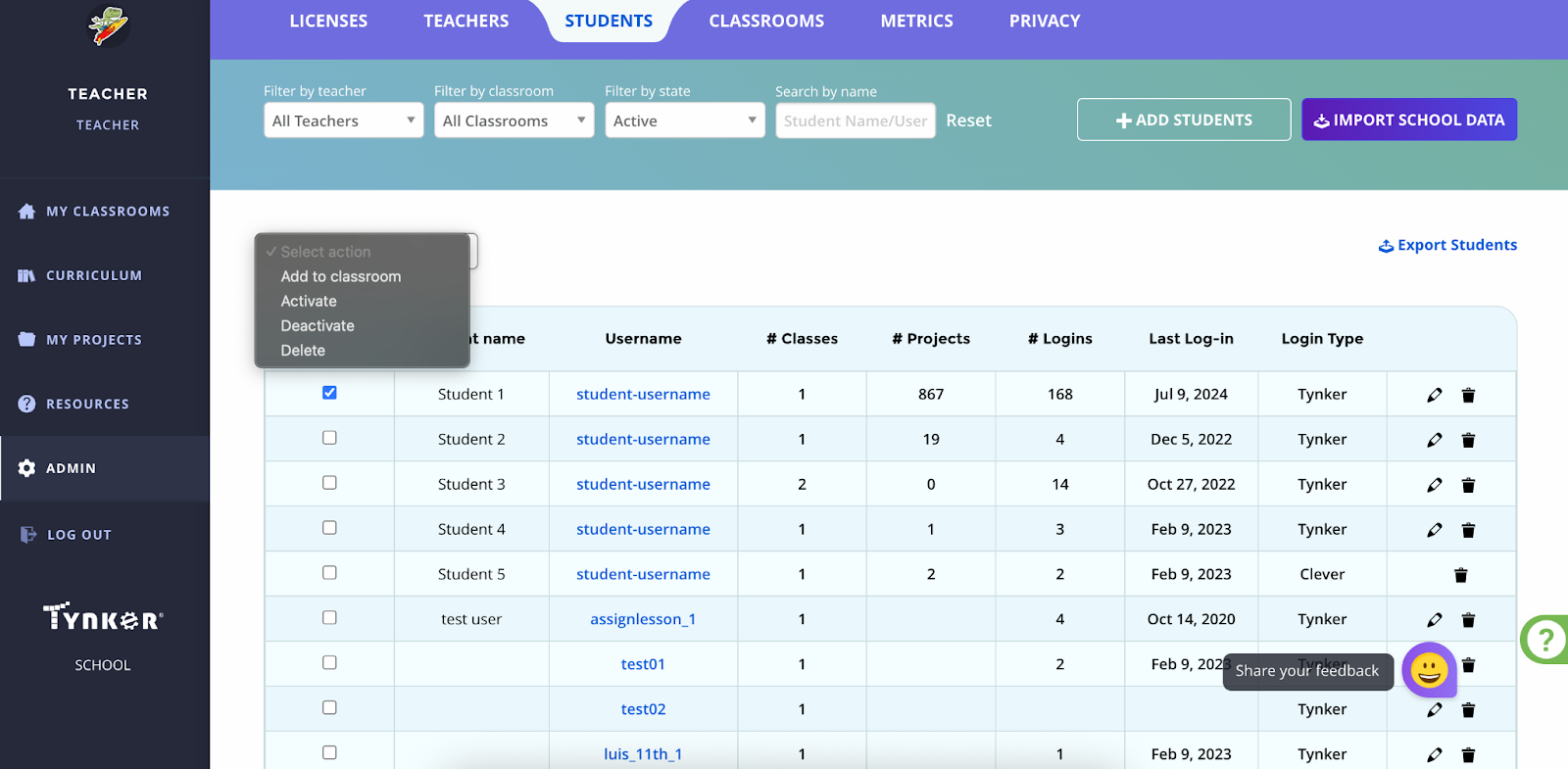
Click the admin page on the left
Click the student tab at the top
Check the box to the left of the student you want to activate/deactivate
Use the bulk action menu to the top-left of the names to activate/deactivate.