
How can I add a co-teacher?
Edited
From your teacher dashboard:
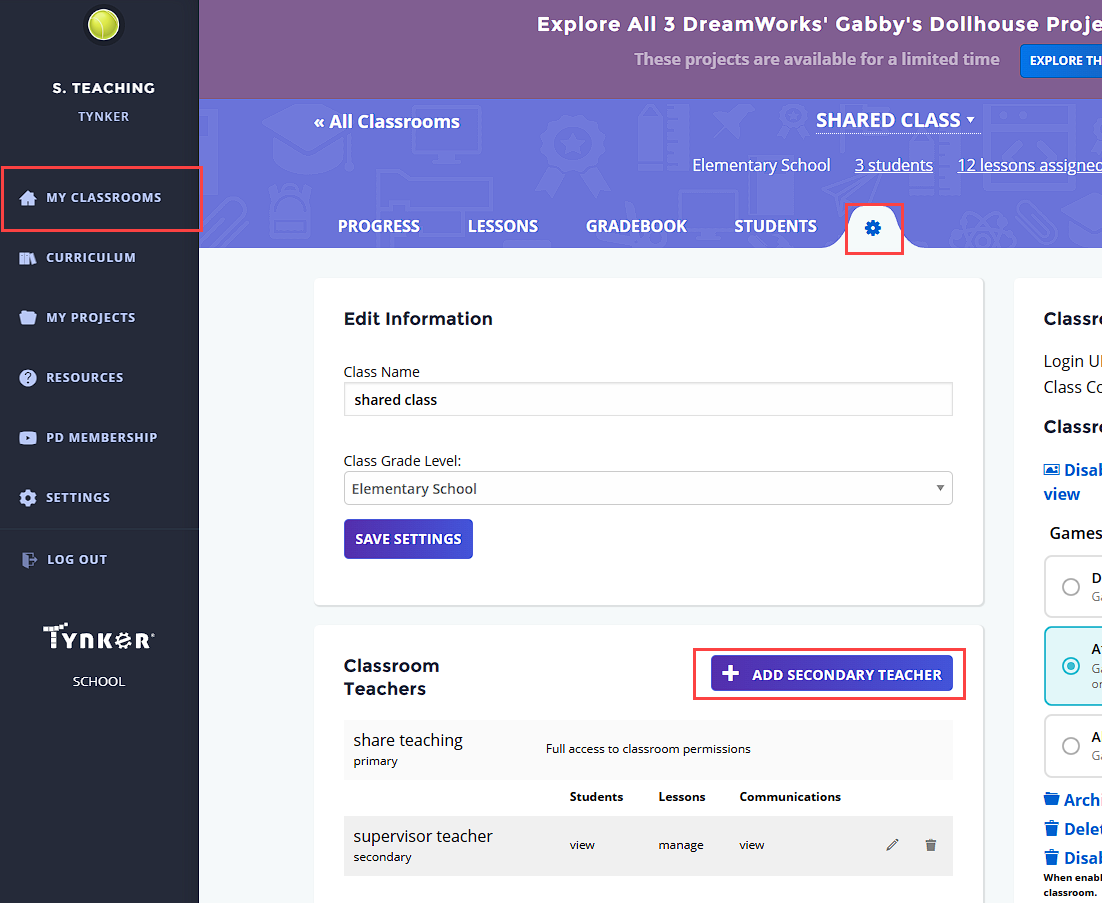
Click on My Classrooms.
Click the class card of the class you want to add the co-teacher in.
Within that class click on the cogwheel to access the settings tab.
In the “Classroom Teachers” section click Add Secondary Teacher, fill in the co-teacher's details and accept. The co-teacher should receive an email invitation to confirm joining the class. Once they confirm they should log in and be able to see the shared class.
If you encounter any issues adding a co-teacher please reach us at schools@tynker.com.