How do I print student login cards?
Edited
Go to My Classrooms.
Click the class card of the class you want to print.
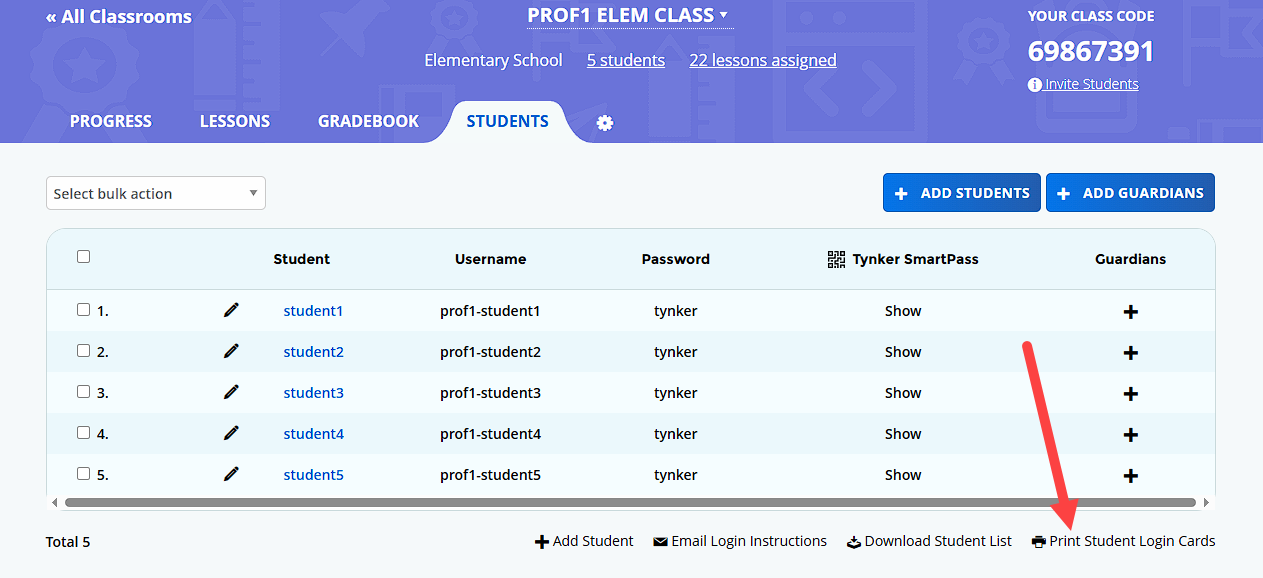
Click the Students tab.
Click Print Student Login Cards below the list of students. Select whether you would like the cards to contain students' username and password or their Tynker Smart Pass and print the cards.