How do I share student login information with parents and guardians?
Edited
Go to the My Classes page.
Click the card of the class you want to share login instructions with.
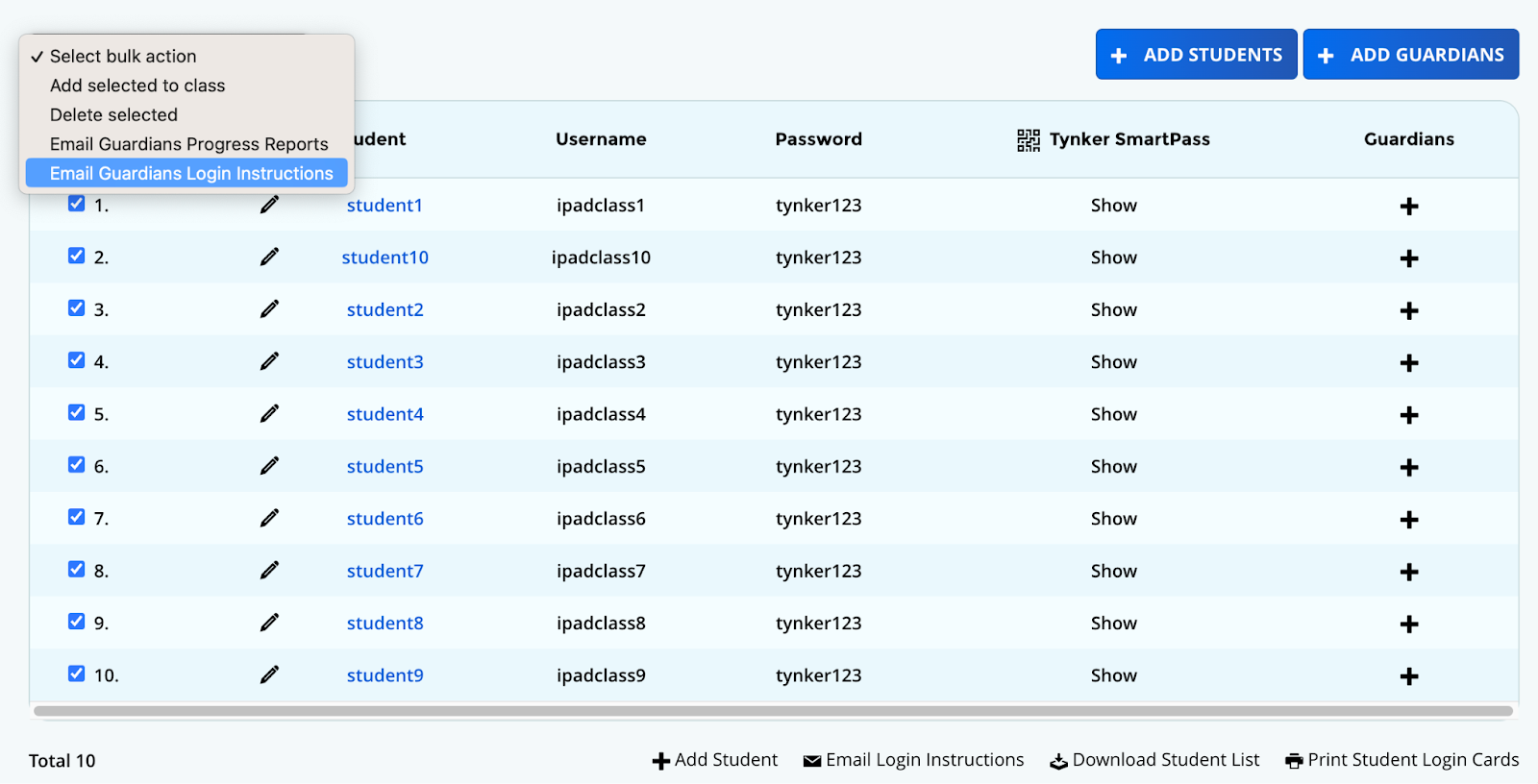
Check the box to the left of the student or students you want to share login instructions with.
From the bulk action dropdown menu above the student list, select Email Guardians Login Instructions. The Tynker Smart Pass is included.
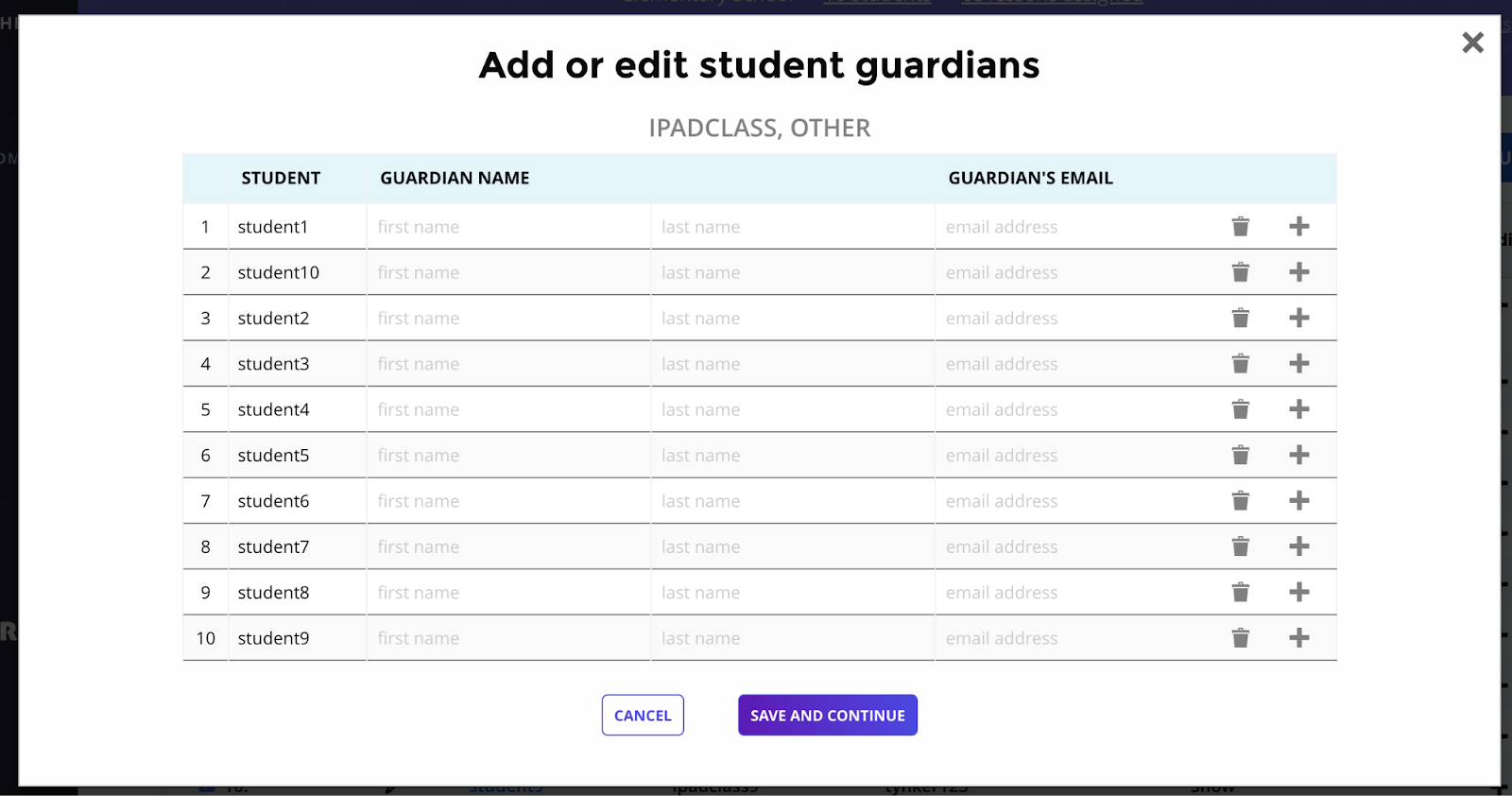
If parent/guardian contact information is not recorded, you will be prompted to enter the names and email addresses for each student's parent/guardian.