
How to Manage Students as a School Administrator
Edited
The Students tab allows school administrators to view and manage students across the school.
To access your students:
Go to Admin.
Select Students.
Filter students by teacher, classroom, or status, or use the search field to find a specific student.
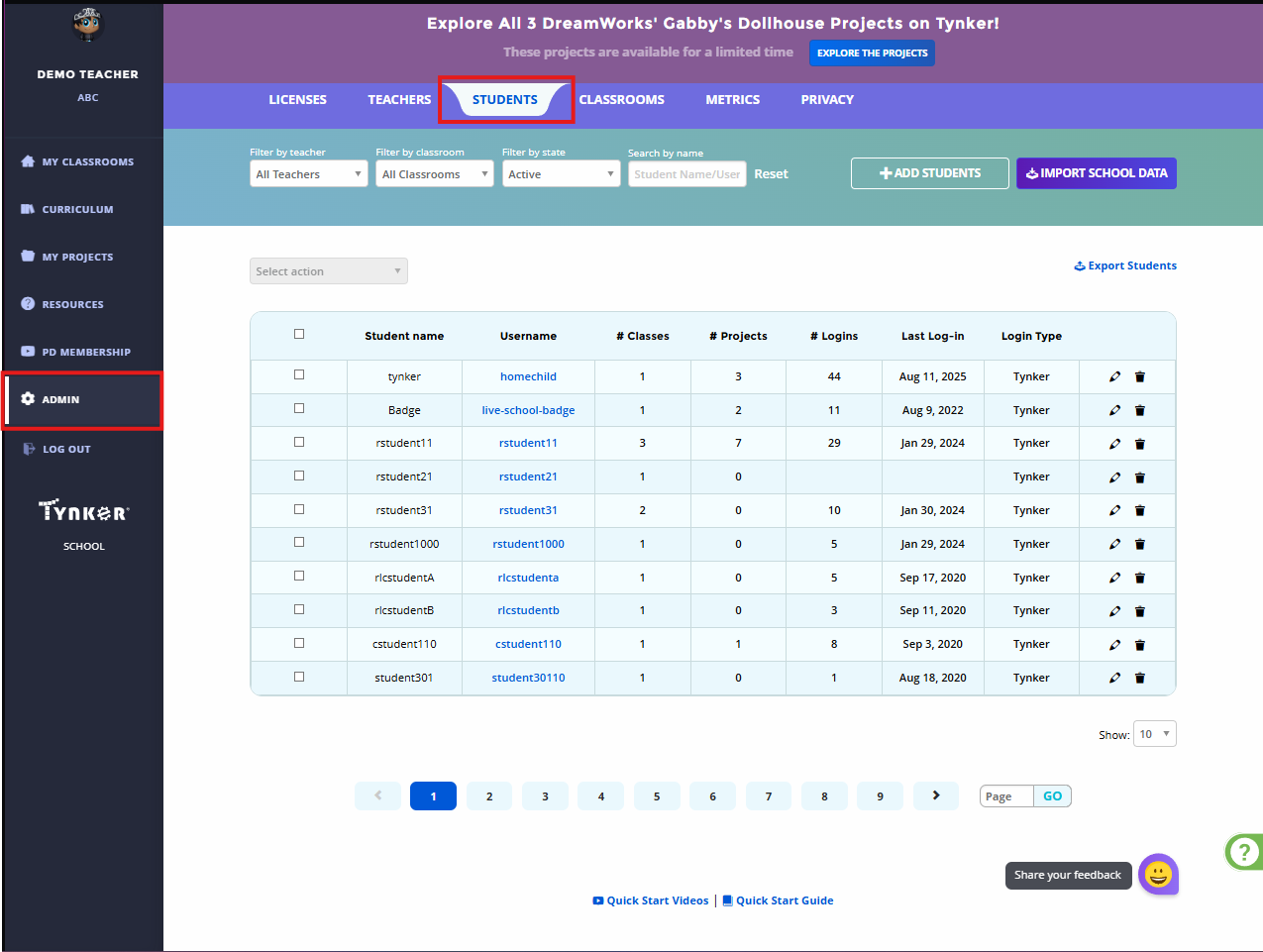
The student list includes information such as:
Student name and username
Number of classes
Number of projects
Number of logins
Last login
Login type
Use the available icons next to a student to access individual management options.