
Navigating Your Tynker Dashboad
The Tynker Admin Dashboard gives school administrators a central place to manage their Tynker account and monitor school activity.
To access the dashboard:
Sign in to your Tynker Admin account.
Select Admin from the left navigation menu.
Use the tabs at the top of the page to access the different admin tools.
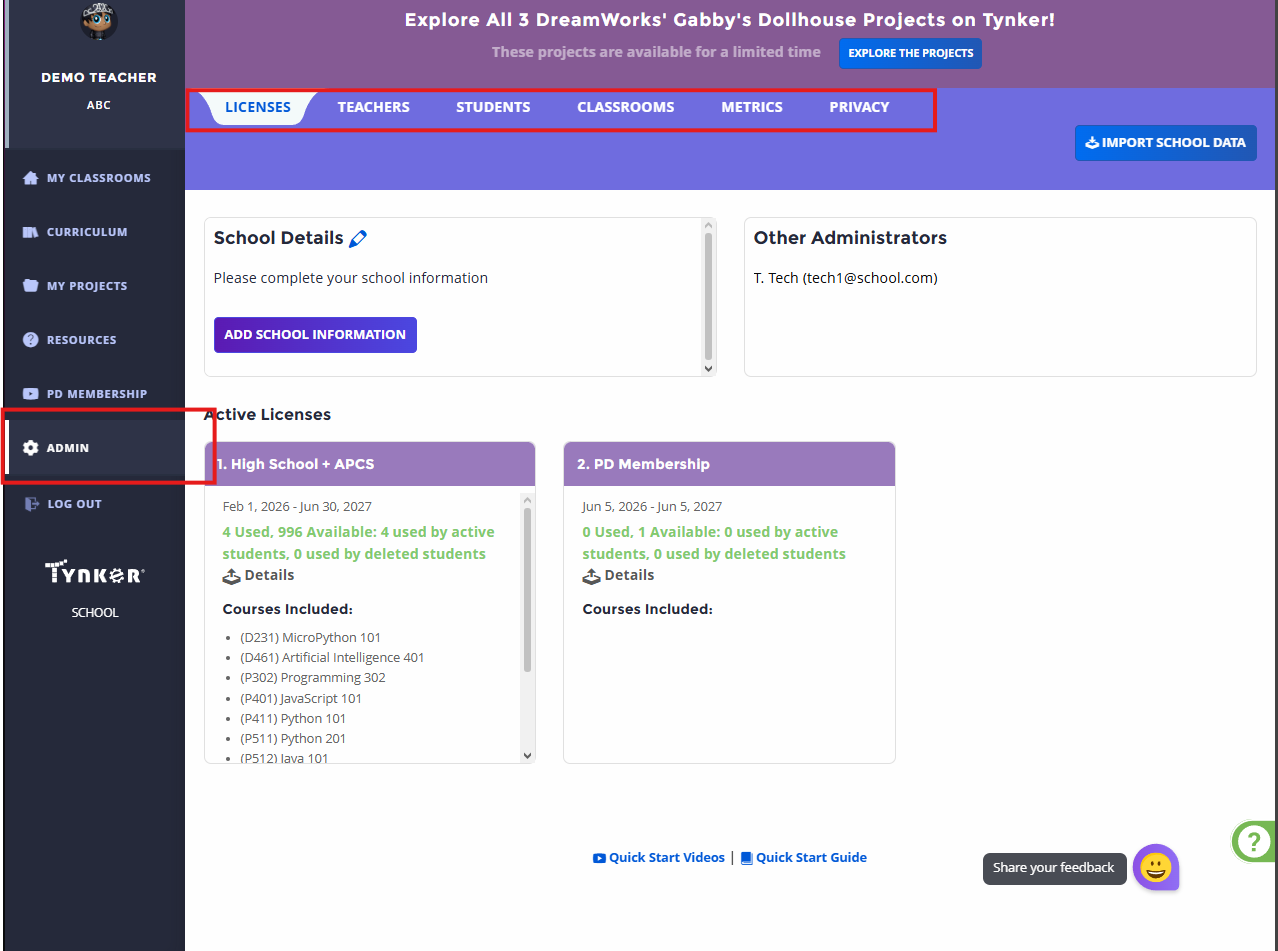
The Admin Dashboard includes:
Licenses: View your school’s license information and available access.
Teachers: View and manage teachers associated with your school.
Students: View and manage student accounts and activity.
Classrooms: View classrooms associated with your school.
Metrics: Review student and teacher usage and learning data.
Privacy: Review school data and manage available privacy and student access settings.
Note: Available options may vary depending on your account type and your school’s Tynker setup.