
Step 2: Create and Roster Your Classrooms for ClassLink Integration
Edited
1️⃣ Access your teacher’s account by authenticating with your ClassLink teacher account, which you already created in Step 1👩🏫
2️⃣ Go to "My Classrooms" 🗂️
On the left menu, click My Classrooms, then select Add Classroom.
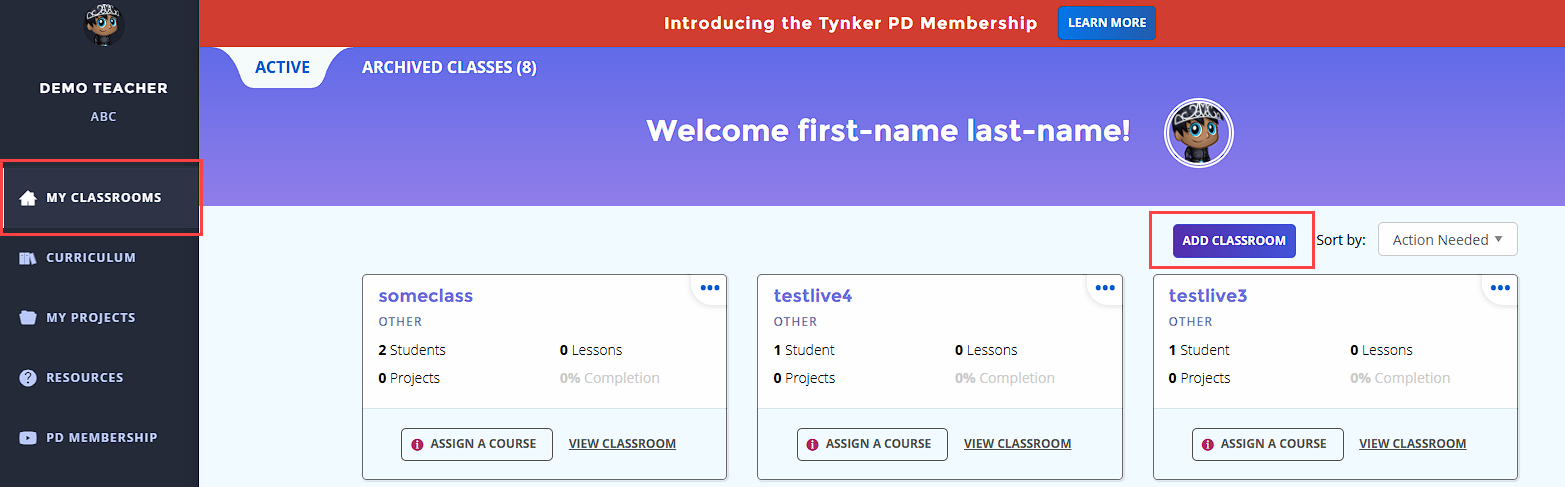
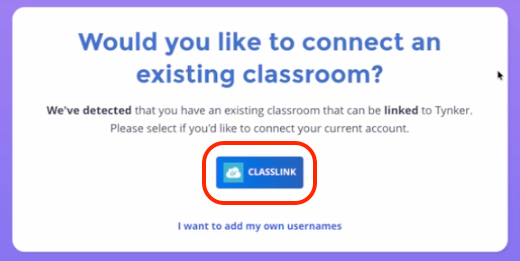
3️⃣ Select Classlink 🔗
Since you are already authenticated with Classlink, you’ll see a Classlink button.
Click it.
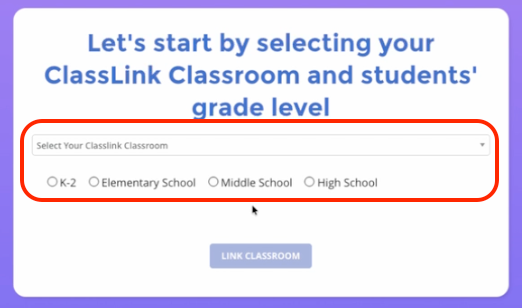
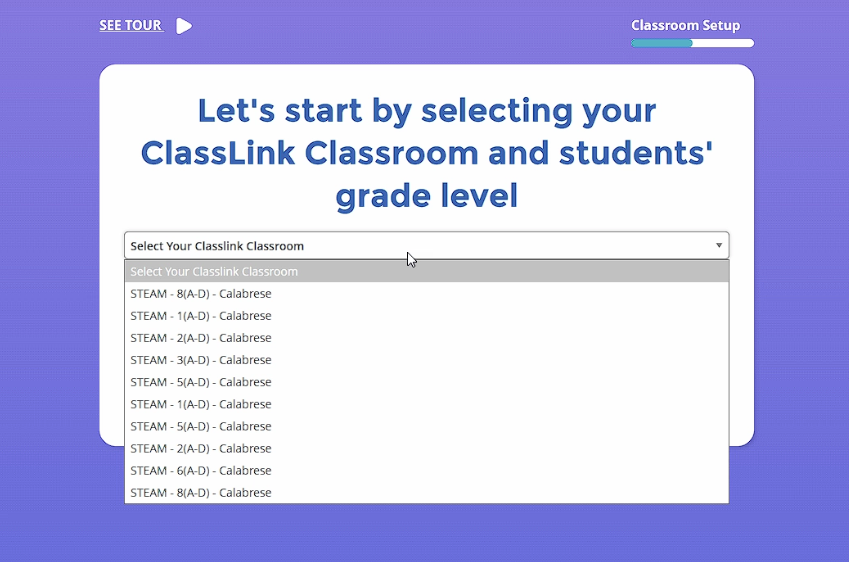
4️⃣ Choose the Correct Class 📚
Select the correct class.
Select the correct grade level.
5️⃣ Link the Classroom ✅
Click Link Classroom.
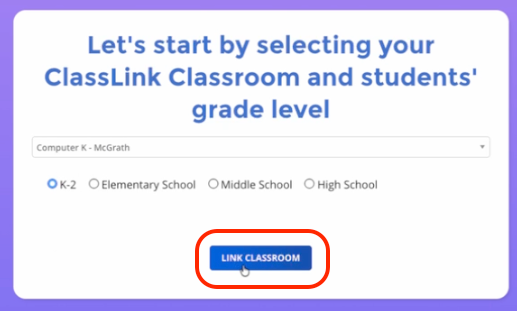
After you click the "Link Classroom" button, your students will be automatically imported.