
Step 2: Create Your Classroom
Edited
You may create any number of virtual classrooms with your Tynker educator account.
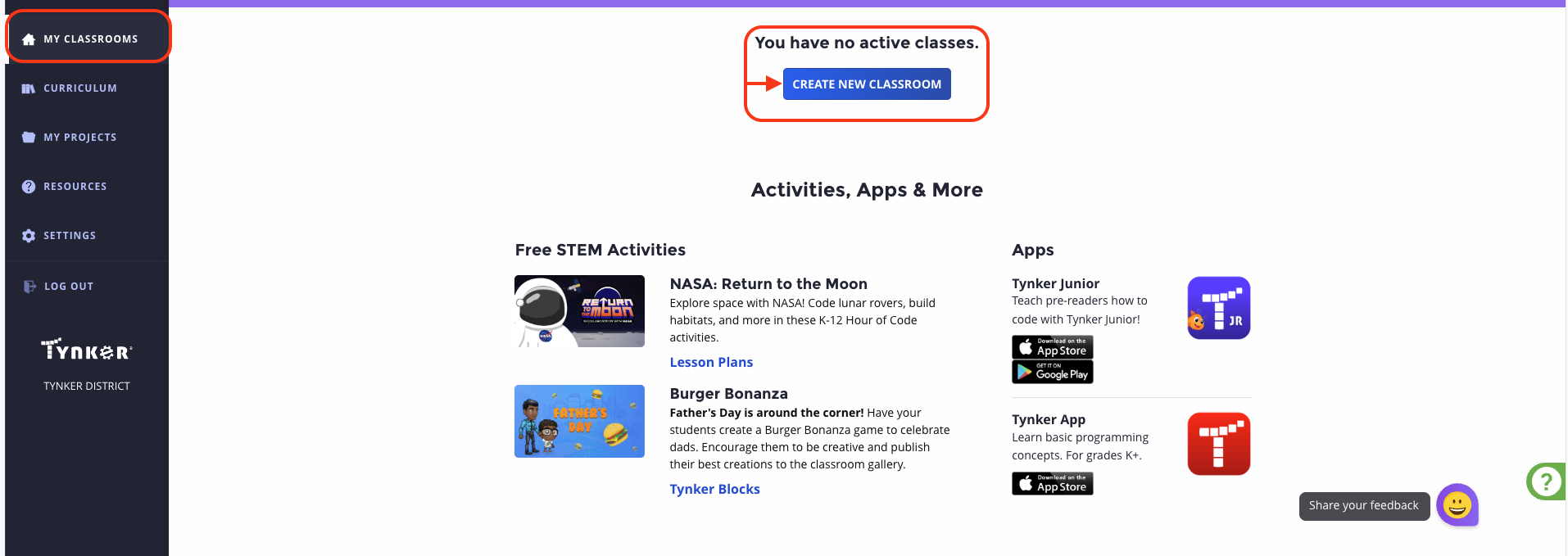
1️⃣Log in to your teacher account using your email and password. Then go to the "My Classrooms option located on the left side menu.
Then, click on the option "Create New Classroom":
2️⃣Once you are there, you will be automatically directed to the following screen.
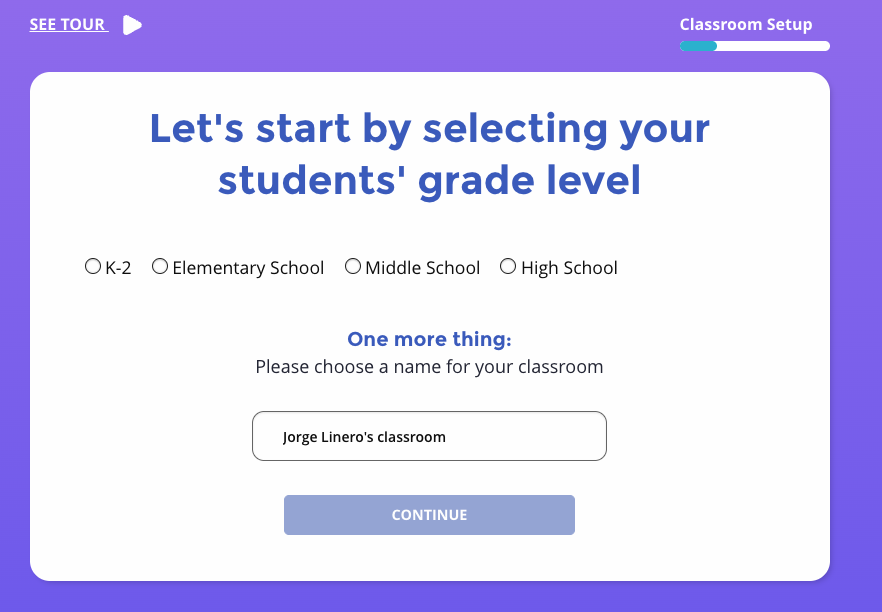
3️⃣Choose the class grade band, give the class a name, and click Continue.
4️⃣There are several options available for adding students to your classrooms, and we discuss each of these in the next step
Next Step:
Now that your classroom has been created, continue to: